
May 2026 Release v3.19.0
This release brings meaningful improvements to the workflows teams rely on most during the data season: creating accurate treatment zones, reviewing GIS layers, capturing field activity, processing machine data, and sharing results.
A key highlight is the improved GIS Workstation Zone Tool, which now gives teams a better way to generate treatment zones from split-planter and strip-trial machine data while preserving the planter pass and strip structure.
New Features
GIS Workstation Split-Planter Zone Generation
INVISION now includes an improved zone-generation workflow designed for split-planter and strip-trial machine data.
The new pass-aware option helps preserve planter passes, alternating product strips, and side-by-side product placement when creating treatment zones from planting or application files. This gives teams a more accurate way to turn machine data into usable treatment zones when the structure of the planter pass matters.
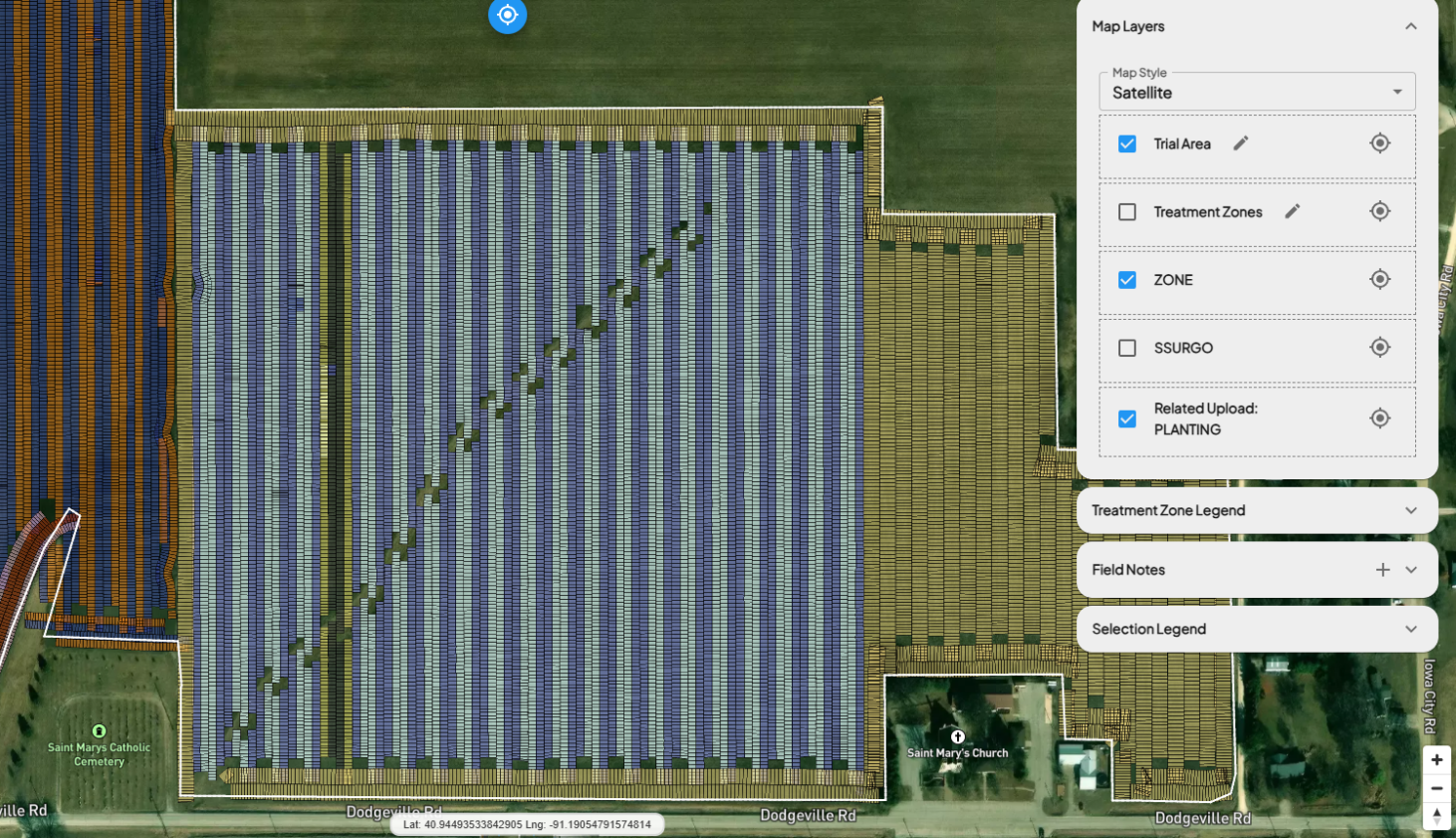
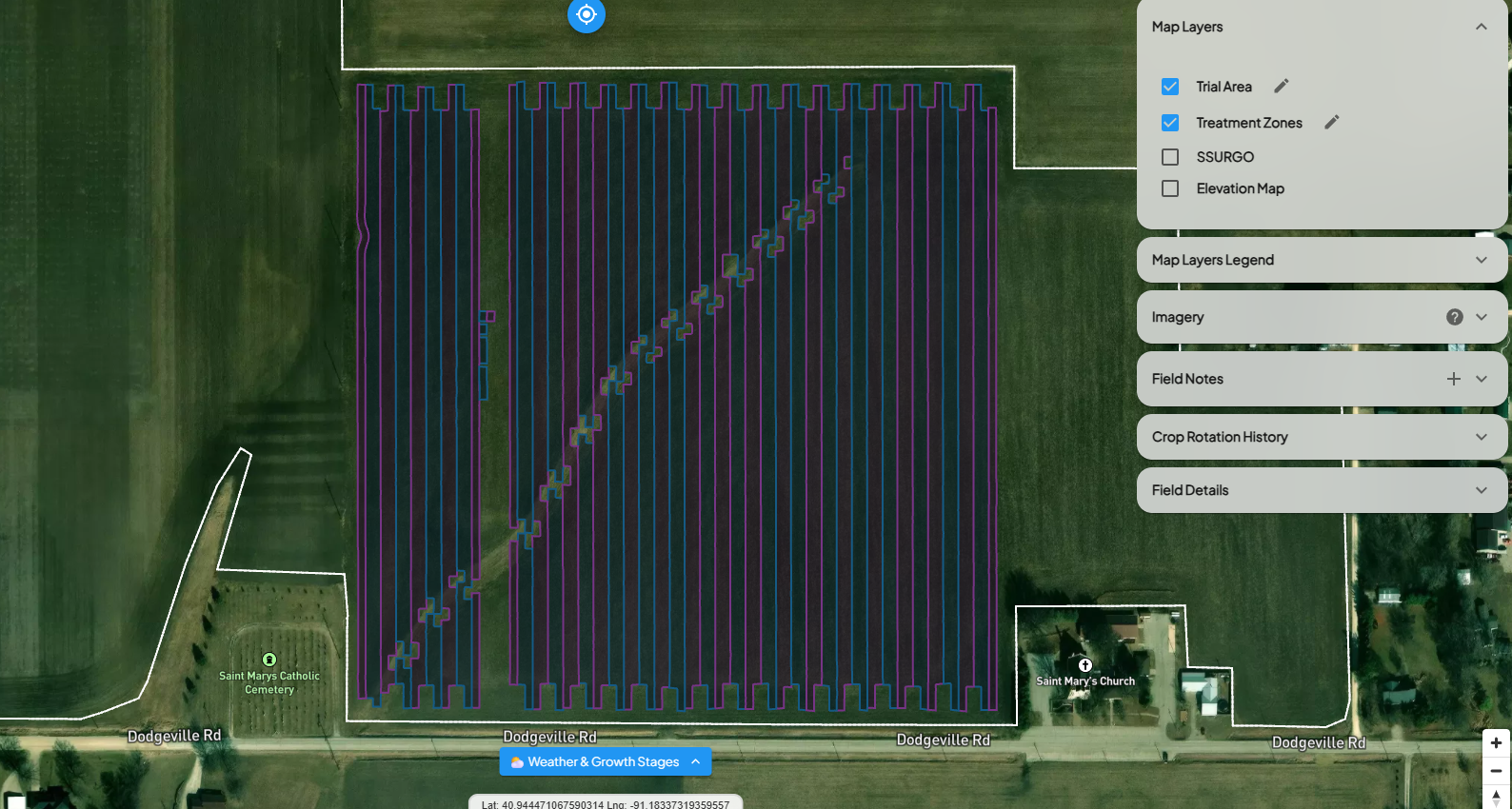
The existing product-level zone generation remains available as the default workflow, while the new pass-aware option provides added flexibility for more detailed zone creation.
Feature Enhancements
GIS Workstation Zoom to Layer: GIS Workstation now includes a Zoom to Layer option in the Map Layers panel.
Users can quickly zoom to uploaded layers such as planting, application, harvest, trial area, and SSURGO data, making it easier to locate, review, and validate map layers during GIS processing.
Mobile Field Enrollment Location Zoom: INVISION Mobile now includes a Zoom to Current Location option during field enrollment. This helps users quickly center the map near their current GPS location before drawing or confirming a field boundary, making mobile enrollment easier while working in the field.
Field Visit Planning Assignment Preferences: Field Visit Planning now gives users more control over assignment email notifications. Users can choose how assignment messages are handled, helping reduce repetitive prompts during visit assignment workflows.
File Processing Product Assignment Reset: File Processing now supports clearing assigned products from planting and application files. This gives data processors a faster way to correct product assignments without restarting the file-processing workflow.
Performance Website PDF Print Layout: Performance Website Field Study pages now include an improved Print PDF layout. This provides a cleaner, more polished format for sharing field study results from public-facing Performance Websites.
Bug Fixes
GIS Workstation and Mapping
- Fixed an issue where geometry validation could alter boundary geometry before ingestion.
- Updated the boundary drawing workflow to provide clearer navigation when returning to a previous step.
INVISION Mobile:
- Fixed an issue where field visit pins and related map layers did not always appear automatically in INVISION Mobile.
- Improved the mobile field visit wizard to prevent rapid next-step clicks from interrupting the save and sync flow.
Field Visit Planning
- Fixed an issue where optimal field visit dates were not appearing in certain field visit planning scenarios.
Trial Progress and Enrollment
- Fixed an issue where inactive trials could appear in Trial Progress.
- Fixed an issue where the enrolled-by user value could appear blank or incorrect for some enrolled fields.
- Fixed an issue where unenrolled fields or growers could appear in trial summary and protocol exports.
File Processing and Exports
- Fixed an issue where changing a file status from Archived to Mark as Processed could interrupt the expected workflow.
- Improved protocol exports so multiple uploaded image and file links are handled more cleanly.
Imagery and Insights
- Standardized imagery and product comparison wording for more consistent language across INVISION.