
October 2025 Release v3.13.0
INVISION v3.13 builds on the major Insights rebuild from the previous release and focuses on rapid execution of customer feedback. This release expands crop history coverage across North America, improves harvest data cleaning workflows, and introduces targeted enhancements across Insights, GIS Workstation, and INVISION Mobile.
The goal of v3.13 is clarity and confidence, giving teams better historical context, more control during data processing, and more flexible ways to explore trial results.
Highlights
1. Unified Crop History Across the U.S. and Canada
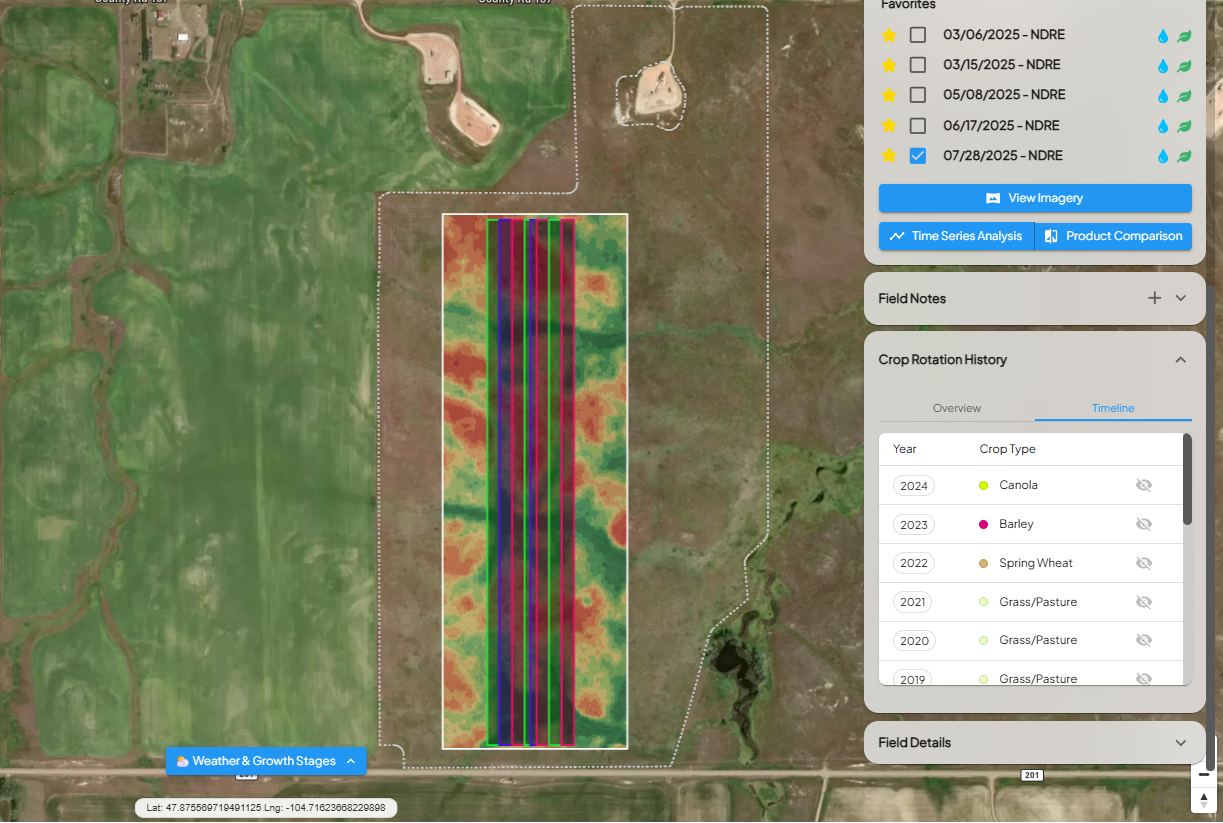
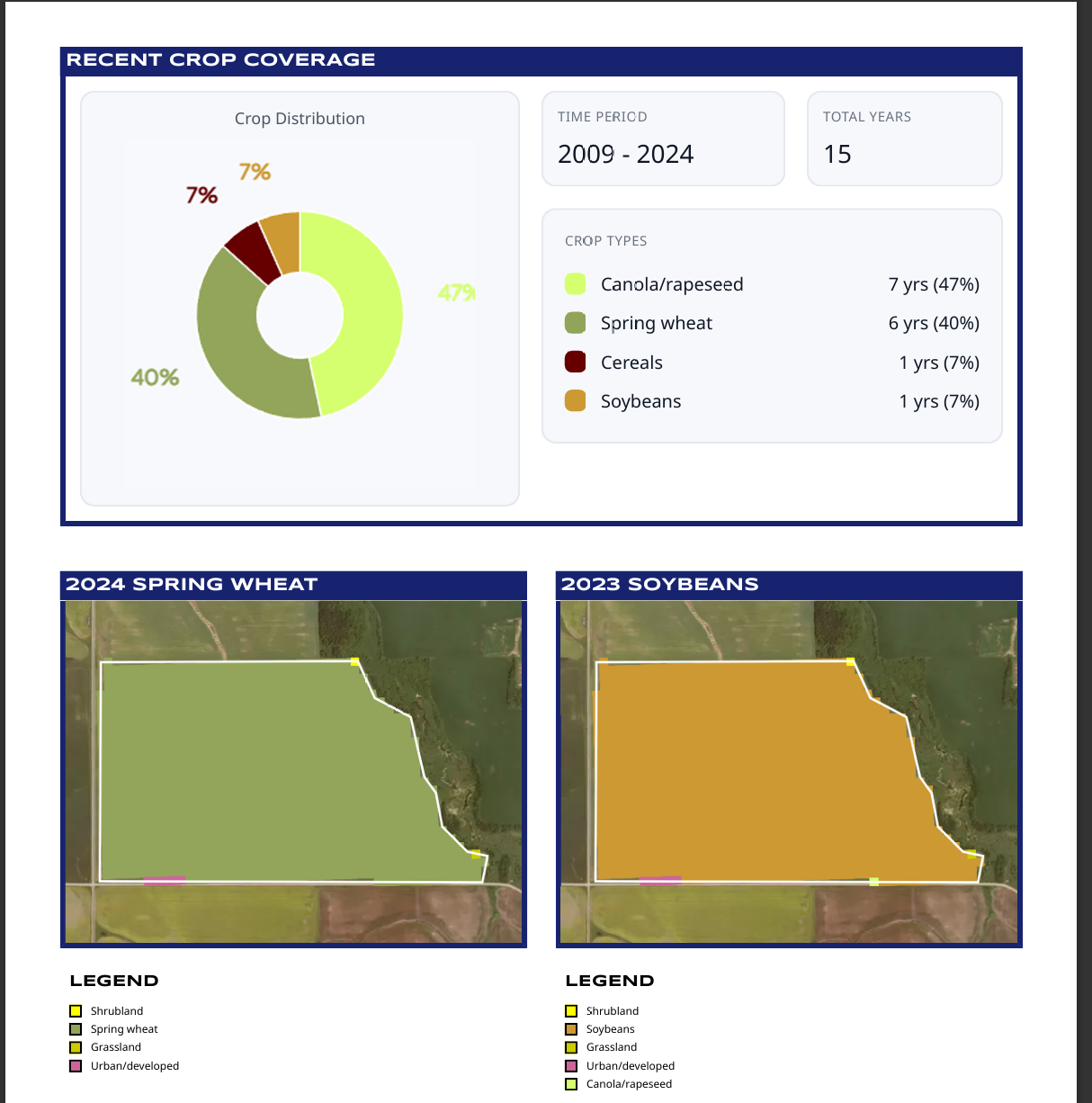
Crop rotation history is now available for all North American fields.
-
United States: 17 years of annual crop history (2008–2024) sourced from the USDA NASS Cropland Data Layer (CDL)
-
Canada: 16 years of crop history (2009–2024) sourced from the AAFC Annual Crop Inventory
Users can enable the Crop History layer in View Fields to visually explore historical rotations at the field level. The same crop history data is also included in PDF Reports, providing long-term context alongside trial results.
2. USDA Drought Monitor Layer
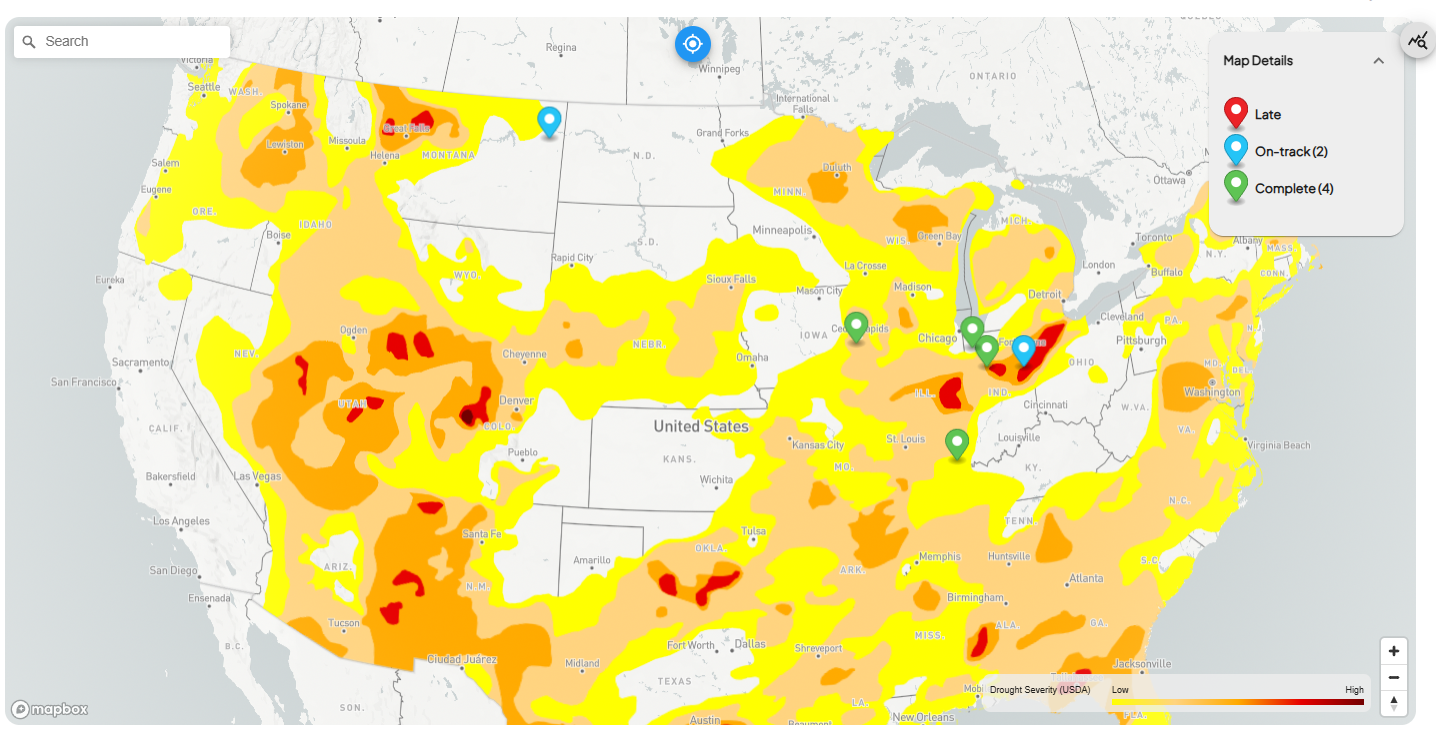
INVISION now includes the USDA Drought Monitor as a selectable map layer in both Trials Overview and Insights.
This layer provides a clear visual reference for regional drought conditions, helping teams interpret trial performance within the broader environmental context of the season.
Common use cases include:
-
Understanding yield variability during drought-affected periods
-
Adding environmental context to Insights analysis
-
Supporting internal and external trial discussions
3. GIS WORKSTATION | Harvest Data Cleaning Controls
A new data-cleaning enhancement in the GIS Workstation allows teams to review, restore, and re-exclude feature points during post-processing. Data teams can now confirm whether valid harvest points were excluded during automated cleaning and selectively re-display them for analysis when appropriate. This adds flexibility while maintaining data integrity.
This is especially valuable for post-harvest data validation, fine-tuning cleaning logic for edge cases and supporting agronomic review workflows.
Enhancements
INSIGHTS
Grower Multi-Select Filter
Users can now filter Insights by one or more growers at a time, making it easier to segment results across territories or accounts.
Tag-Based Trial Filtering
For trials using Field Access Management, Insights now supports tag-based filtering, enabling faster segmentation by agency, program, or internal classification.
Both grower and tag filters can be saved within Views, supporting consistent analysis and reuse across teams.
GIS WORKSTATION
Field Notes Layer
Field Notes can now be added and visualized directly within the GIS Workstation, bringing observational context into spatial analysis workflows.
Improved Productivity Map Contrast
Enhanced contrast improves readability across large and variable fields when reviewing productivity maps in View Fields.
Geometry Validation for Shapefile Uploads
Added validation ensures uploaded shapefiles match expected geometry types, preventing invalid or mismatched data from entering downstream processing.
INVISION MOBILE
Basemap Toggle
Mobile users can now switch between basemap styles in maps, improving visibility across different field conditions and lighting environments.
Bug Fixes
-
Refined Insights chart comparison logic to ensure stricter and more accurate treatment and scenario matching
-
Resolved an issue where certain shapefile uploads remained stuck in a pending state
-
Aligned Productivity Map contrast between View Fields and GIS Workstation for consistent visualization
-
Improved Canadian Legal Land entry by reordering inputs to match the standard Section–Township–Range–Meridian format
If you have questions or would like more details on any of these enhancements, please reach out to your INTENT team.