
Project Management - Introducing Protocol Season Start Dates
In agriculture, timing drives everything from seed selection and planting to harvest and performance review. Whether you're monitoring a cover crop trial or managing a network of plots across regions, understanding when a season truly starts is key to planning, consistency, and insight accuracy.
But here’s the catch: not every crop or protocol follows the same seasonal rhythm.
The Problem with a One-Size-Fits-All Start Date
Most platforms default to the planting date as the start of the season. While convenient, this can create misalignments for:
-
Crops that have growth cycles that being prior to spring (e.g., winter wheat, camelina, covercress).
-
Trials that need to track weather, GDD, or pre-season field activities.
-
Protocols that vary by region or product.
In short: relying only on planting dates limits visibility and planning precision.
The INVISION Solution – Season Start at the Protocol Level
INVISION introduces Season Start Settings right where they matter most — in Protocol configuration, the heart of project planning.
Here’s how it works:
🔐 Admin-Only Access
Only users with Admin privileges can configure season start settings at the protocol level. This ensures consistency across trials and prevents misconfigurations.
Crop-Specific Settings
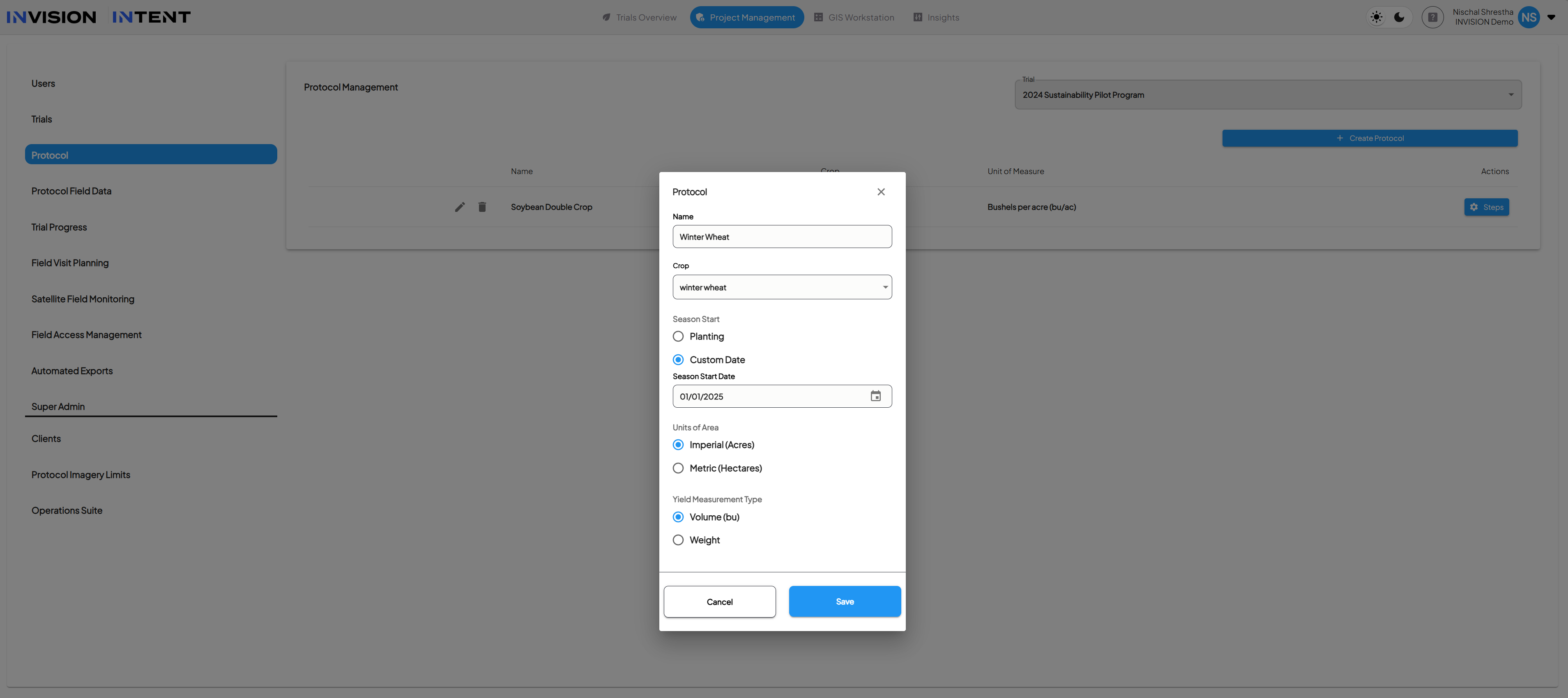
Admins select the crop (e.g., CoverCress, Winter Wheat) when setting up the protocol. Each crop can have its own season logic.
Season Start Type – Two Flexible Options
A new dropdown lets you choose how a season begins:
-
Planting Date (Default)
-
Season starts on the actual planting date of each field.
-
-
Custom Date
-
Admin can pick a fixed calendar date via date picker.
-
This becomes the start point for the entire season across all enrolled fields.
-
What Changes When You Set a Custom Date?
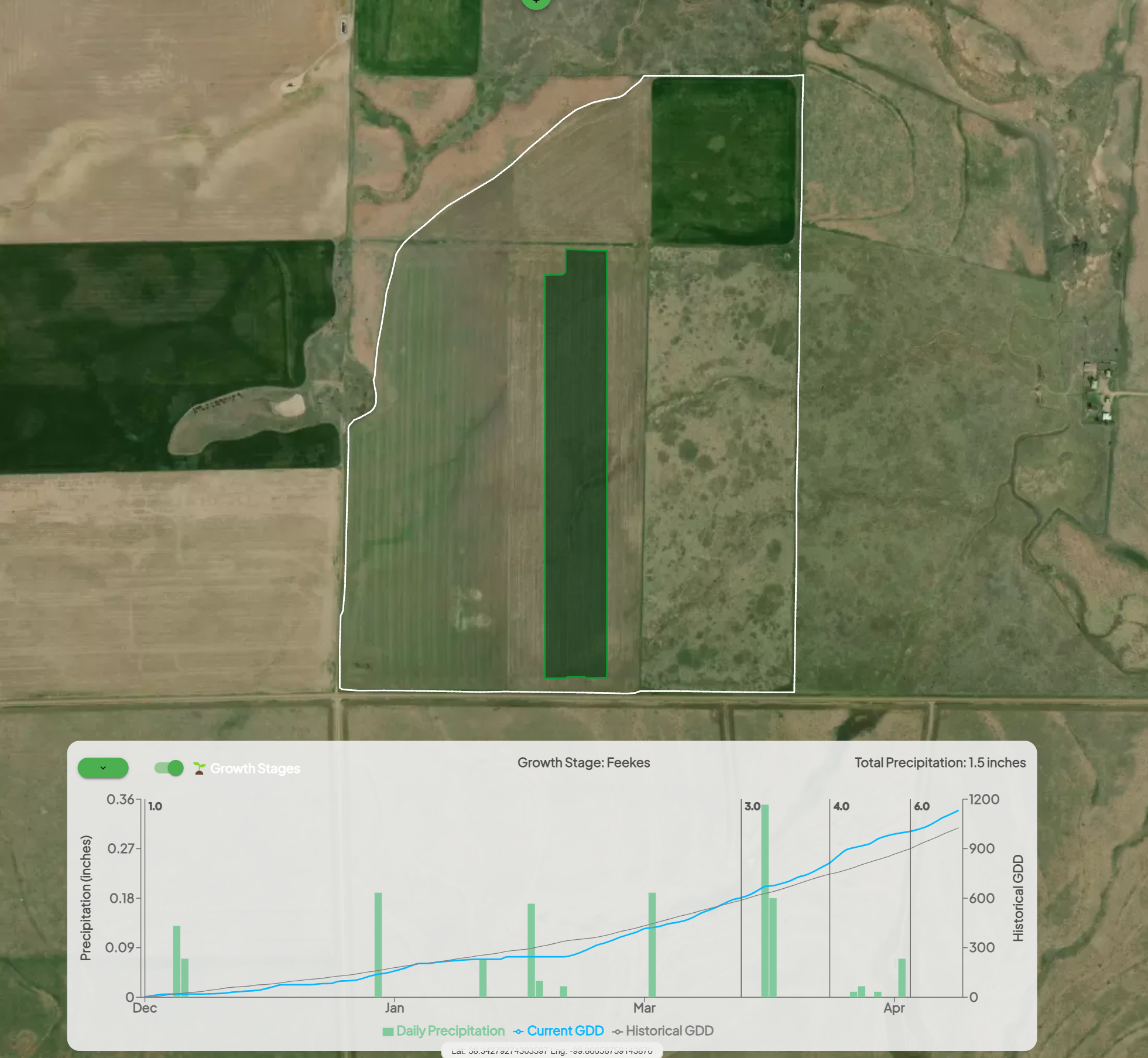
If a custom season start is selected, INVISION uses this date to:
-
Anchor Season-at-a-Glance weather summaries.
-
Drive Growing Degree Days (GDD) calculations.
-
Set clearer expectations for growth stages, field visits, and data collection windows.
-
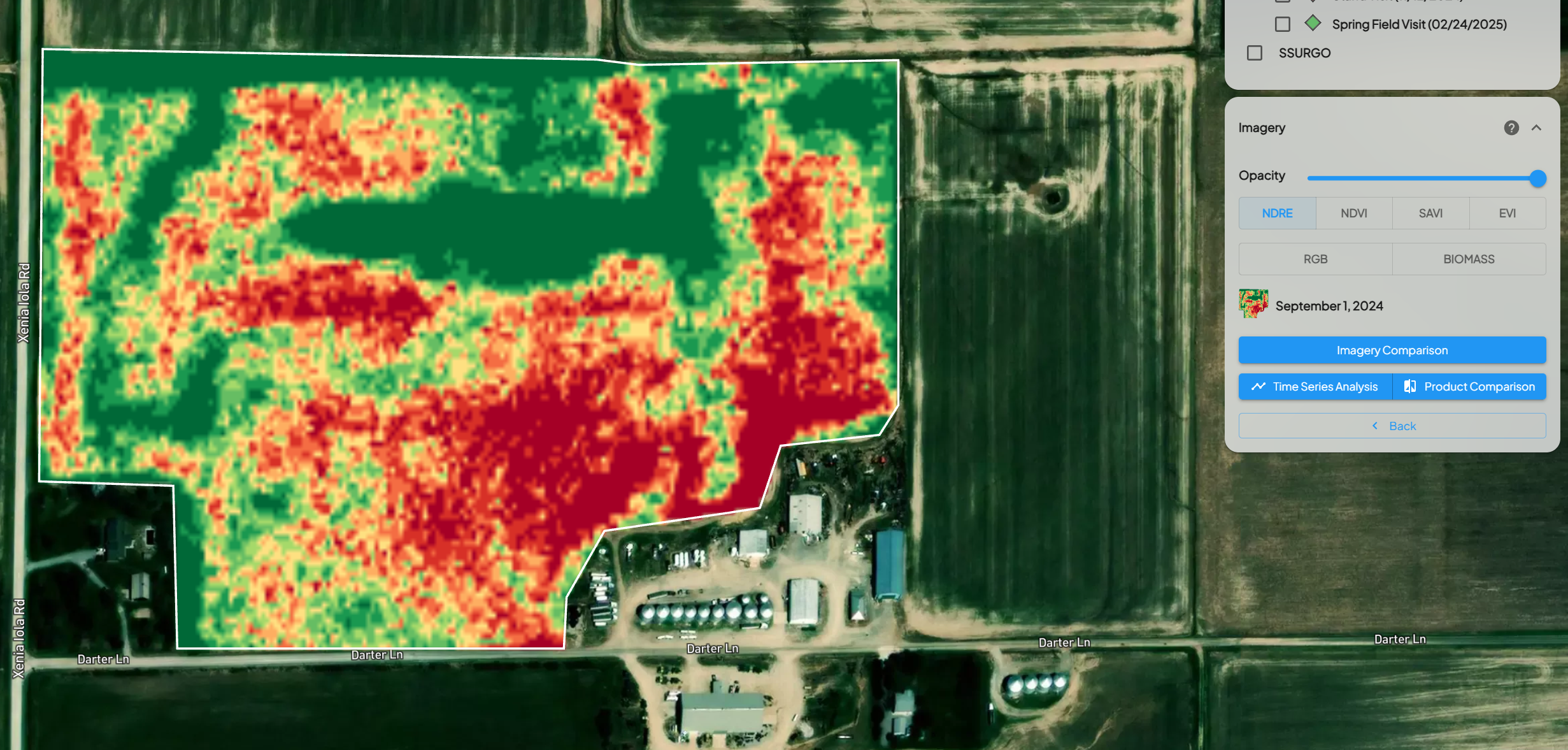
Align remote sensing overlays and alerts with the actual seasonal timeline.
Why It Matters for Project Management
In large-scale field trials, small timing differences can cause major gaps in data consistency. INVISION’s protocol-level season start configuration solves that by giving project leads the ability to:
-
Standardize planning windows across trials.
-
Schedule field visits, sampling, and scouting more accurately.
-
Align analytics across geographies and crop types.
-
Avoid guesswork when interpreting weather or phenology charts.
Whether you're launching a national hybrid trial or managing 20 small plots, this feature helps turn season-based variability into structured, actionable timelines.
Protocol Season Start Dates
In INVISION, the availability of imagery, weather data, and GDD calculations for a trial is controlled by the Season Start logic configured at the protocol level. This logic determines the earliest date from which the system will display and analyze seasonal data for fields enrolled in the protocol.
To determine the effective season start date, INVISION evaluates the following three dates and selects the earliest available value:
-
Field Planting Date – If a planting date has been recorded for the field.
-
Protocol Season Start Date – A custom date configured in the protocol settings.
-
January 1 of the Trial Year – Used as a default fallback if no other date is available.
This calculated date becomes the starting point for seasonal data, including:
-
Satellite imagery availability in the field view
-
Weather data timelines
-
Growing Degree Day (GDD) accumulation
-
Imagery ordering windows
If no planting date has been entered and no protocol season start date is configured, the system will default to January 1 of the trial year. In this case, imagery from the previous fall will not appear in the interface, even if that imagery exists in the dataset.
For crops that span across calendar years—such as winter crops or trials where imagery from the previous fall is important—users can configure a custom Protocol Season Start Date. For example, a 2026 trial could set a protocol season start date of September 1, 2025 to ensure imagery and weather data from Fall 2025 are included.
When adjusting the protocol season start date, it is important to note that this date also becomes the starting point for weather and GDD calculations. Field-level weather and GDD values are calculated dynamically in most views, so updates to the season start date will apply automatically when the data is recalculated.
Using the protocol season start date allows teams to accurately define the agronomic season for each protocol and ensures that relevant imagery and environmental data are included in the analysis.