# August 2024 Release v3.2.0
**We’re excited to announce the successful launch of INVISION v3.2.0!** This update brings significant new features, enhancements, and important bug fixes to improve platform functionality and user experience.
---
### **New Features**
#### **Imagery Analysis Enhancements**
[](https://docs.prod.intent.ag/uploads/images/gallery/2025-02/Aaiimage.png)
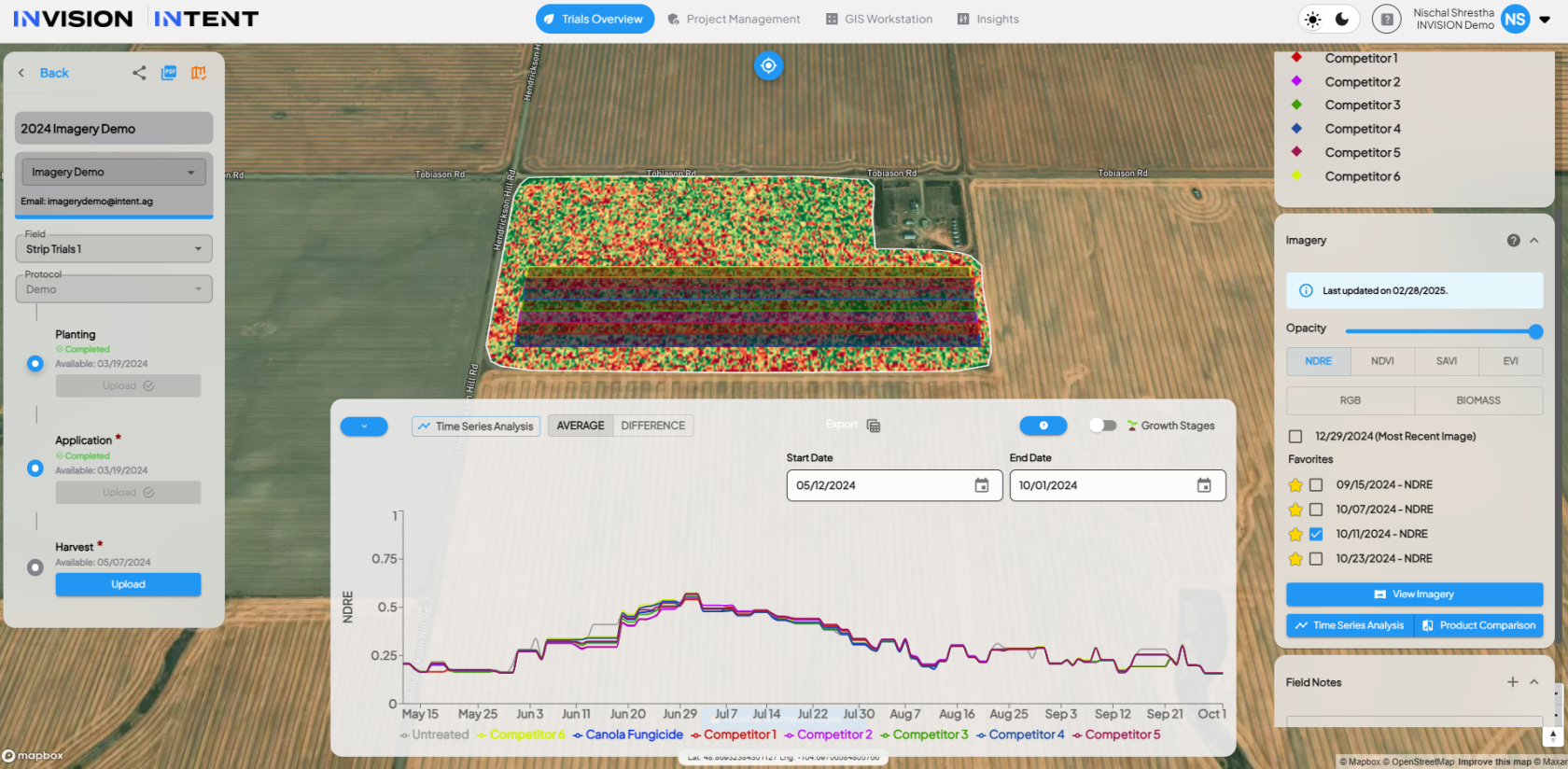
- **Time Series Analysis**: This new tool provides a comprehensive view of crop evolution over time using NDRE satellite imagery, enabling users to track crop health patterns and assess treatment impacts.
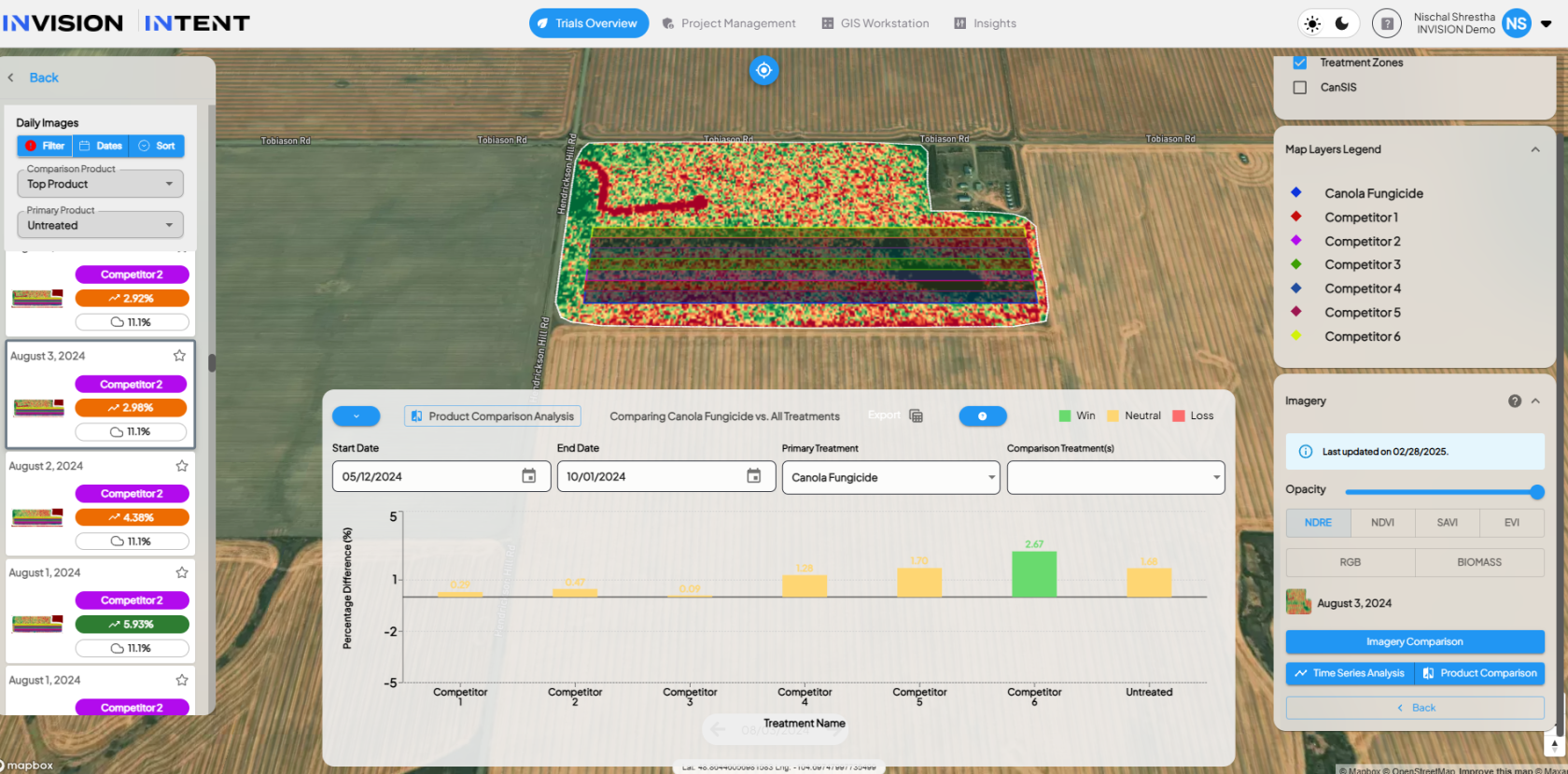
- **Product Comparison Analysis**: This feature allows users to compare treatment effectiveness by visualizing percentage differences in crop health between treated and untreated areas.
- **Enhanced Image Ranking Algorithm**: Incorporates cloud cover removal, trial area trimming, and pixel grouping to improve accuracy in treatment effectiveness analysis and data viability checks.
[](https://docs.prod.intent.ag/uploads/images/gallery/2025-02/kjMimage.png)
#### **INVISION MOBILE Enhancements**
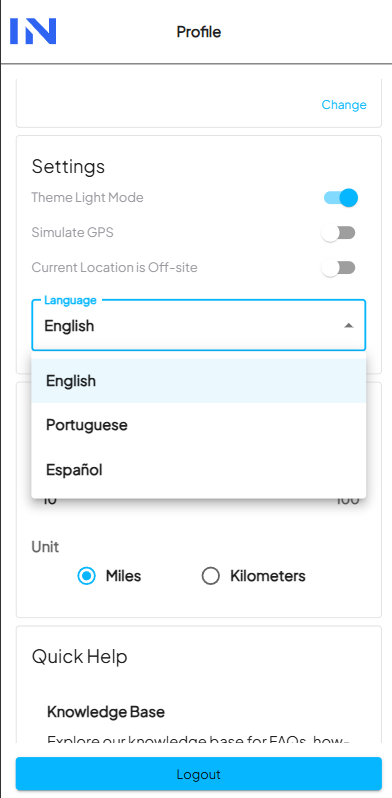
- **Multi-Language Support**: The mobile PWA now supports Spanish and Portuguese, allowing users to select their preferred language in the Profile section.
[](https://docs.prod.intent.ag/uploads/images/gallery/2025-02/Ij6image.png)
- **Overview Map Feature**: A new home screen map displaying nearby fields with active visits. Users can view their location, nearby field visit locations, and navigate to visit details seamlessly.
---
### **Enhancements**
- **Protocol Exports – Now with CSV Support**: Users can now export protocol-level data in CSV format, including detailed grower, field, and characterization data for each protocol step.
- **Field Notes Upgrade**: Field Notes now support categorization by type (e.g., planting, application, harvest), with an enhanced UI for better accessibility in View Fields and GIS Workstation.
- **Optimized Satellite Imagery Order Screen**: Improved API endpoints for field acres and field details to enhance loading speed and responsiveness, especially for large trials.
- **GIS Workstation Updates:**
- Added a **pin tool** for QAQC in data processing, accessible via a new drop pin icon.
- Introduced a **“Processed By” column** to display the user responsible for each file.
- Added a filterable **“Protocol” column** in the GIS Workstation Tasks Table.
- Introduced a **“Step Type” filter** in the GIS Workstation Trial Data page.
- **Field Visit Planning Enhancements:**
- Users can now filter field visits by **“Protocol”** to streamline visit planning.
---
### **Bug Fixes**
- Resolved an issue where refreshing the app or using the back button would switch clients and reset the selected state.
- Fixed a permissions issue that allowed Trial-Operatives to sign documents for unauthorized fields.
- **GIS Workstation Fixes:**
- Addressed an issue where JD/Climate integration uploads were stuck in “pending” mode and not appearing in GIS Workstation.
- Fixed a bug causing the field filter to repopulate automatically, leading to errors when selecting a different grower.