# Understanding the Project Management Page
#### **Guide to Understanding the Project Management Tab**
The Project Management tab of the INVISION Platform is designed to give users access to all the tools they need to design and manage a trial. It's divided into several sections, outlined below.
#### **Users**
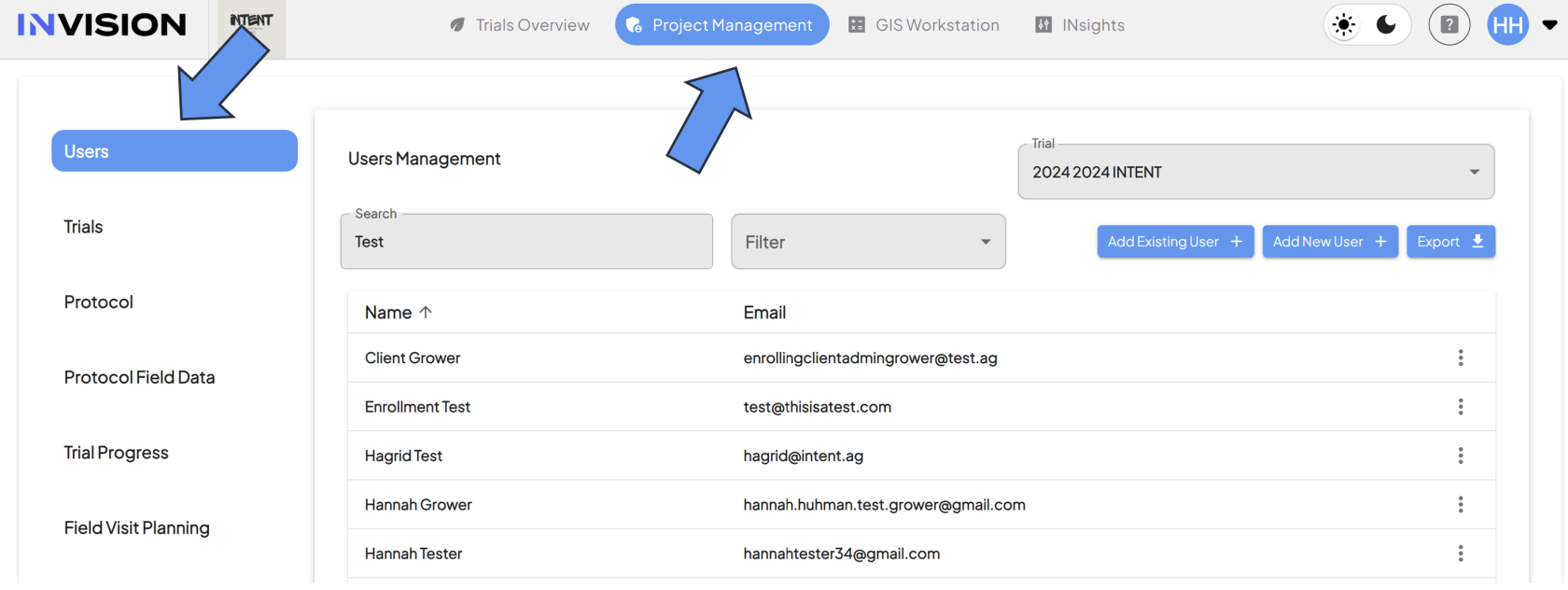
The Users section of Project Management is used to add users, edit user profiles, and to assign permissions.
[](https://docs.prod.intent.ag/uploads/images/gallery/2024-03/screenshot-2024-03-25-155926.png)
Components of the User Section
1. **User Management**
- **Function:** Displays a table containing users based on trial selection, search results, and/or specific filters that are applied.
2. **Trial Selection**
- **Function:** Use this dropdown menu to see users associated with a specific trial.
3. **Search:**
- **Function:** Search for users using first/last name or email address.
4. **Filter:**
- **Function:** Use this filter to find users that have been assigned specific roles.
5. **Add Existing User:**
- **Function:** Use this option to add users to a trial that you know are already in our system. For example, you would use this button to add a user from a previous trial to a new trial.
6. **Add New Users:**
- **Function:** Use this option to add completely new users to a trial.
7. **Export:**
- **Function:** Selecting this button will download a .csv file with all users, their contact information, and their role in our system.
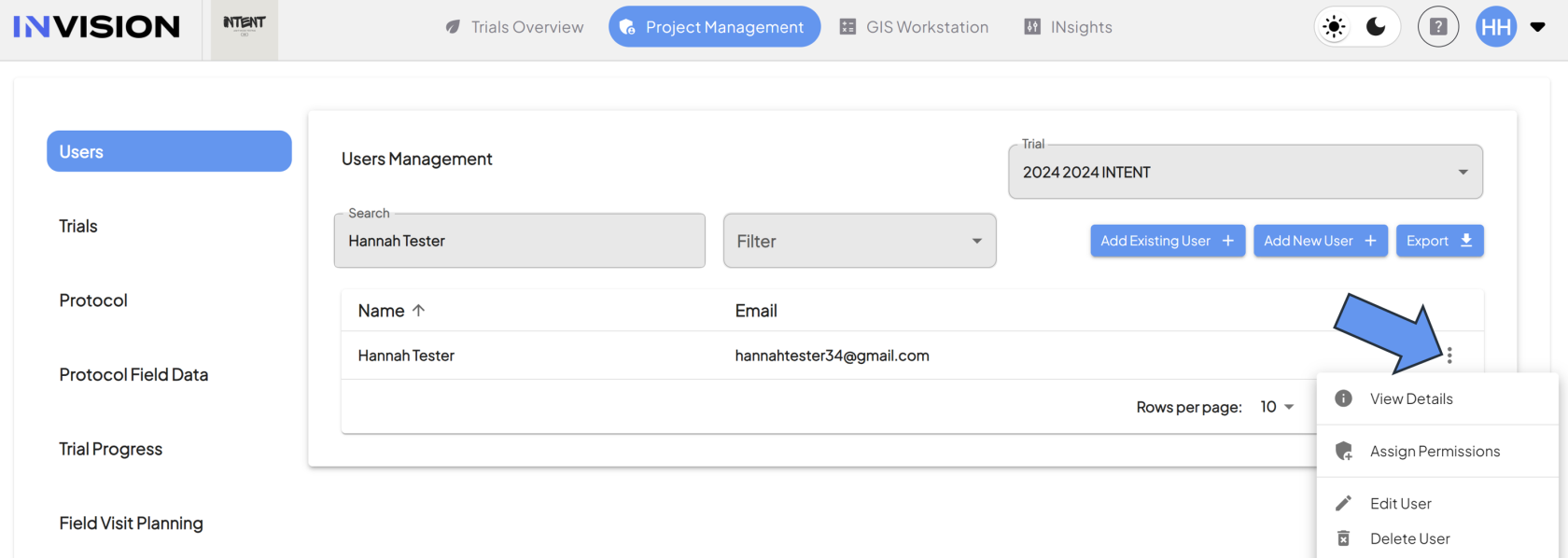
8. **User Profile:**
- **Location:** Select the three dots to the right of the user's email to pull up a menu.
[](https://docs.prod.intent.ag/uploads/images/gallery/2024-03/OiVimage.png)
- **Function:** This menu provides access to the following:
- User Details
- Assign Permissions
- Edit User
- Delete User
Components of the Trials Section
1. **Trials Management**
- **Function:** Displays a table containing all trials created for your active client.
2. **Create Trial**
- **Function:** Selecting this button will allow you to start the process of creating a trial.
3. **Edit Trial**
- **Function:** Select the pencil on the far left in the table to edit that trial.
Components of the Protocol Section
1. **Protocol Management:**
- **Function:** Displays a table containing all available protocols that have been created, based on the trial selection.
2. **Trial Selection:**
- **Function:** Use this dropdown menu to see protocols associated with a specific trial.
3. **Create Protocol:**
- **Function:** Selecting this button will allow you to start the protocol creation process.
4. **Protocol Steps:**
- **Function:**
5. **Edit Protocol:**
- **Function:** Select the pencil icon on the far left of the table to edit that protocol.
6. **Delete Protocol:**
- **Function:** Select the trash can icon on the left side of the table to delete that protocol.
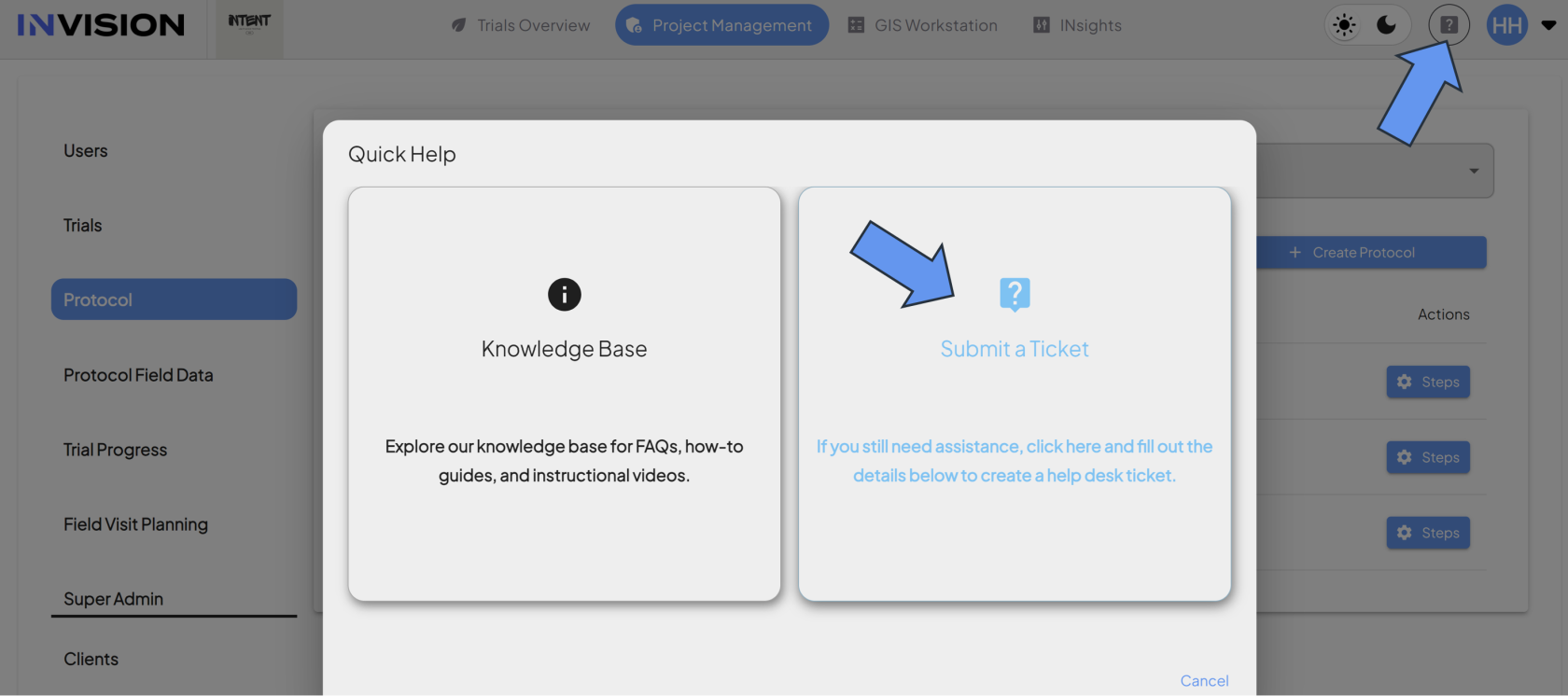
- Protocols cannot be deleted once data is associated to it. If you need assistance, submit a help desk request, or connect with your point of contact at INTENT.
[](https://docs.prod.intent.ag/uploads/images/gallery/2024-03/V0vimage.png)
Components of the Protocol Field Data Section
1. **Protocol Field Data Management:**
- **Function:** Expandable sections for each protocol step created in the selected trial and protocol.
2. **Trial Selection:**
- **Function:** Use this dropdown menu to select the trial you want to add protocol field data for.
3. **Protocol Selection:**
- **Function:** Use this dropdown menu to see the protocols associated with a specific trial.
4. **Protocol Steps:**
- **Function:** Each step expands so that you can add questions for growers or edit question that have already been created.
Components of the Trial Progress Section
1. **Trial Progress Management:**
- **Function:** Displays a table that provides all protocol steps and the dates they were completed, organized by growers.
- **Optional:** Some columns are editable, allowing admins to manually enter in specific dates.
2. **Trials Selection:**
- **Function:** Use this dropdown menu to filter the table to only display data associated with the selected trial.
3. **Optional Filters:**
- **Protocol:** Use this dropdown menu to filter the table to only display data associated with the selected protocol.
- **Grower:** Use this dropdown menu to filter the table to only display data associated with the selected grower.
4. **Years:**
- **Function:** Use this dropdown menu to filter the table to only display data associated with the selected year.
5. **Show Dropouts:**
- **Function:** Use this toggle to show or hide grower's that have been dropped out of their trial/protocol.
Components of the Field Visit Planning Section
1. **Field Visit Management**
2. **Trials Selection:**
3. **Crop Selection:**
4. **Grower Selection:**
5. **Assignee Selection:**
6. **Optimal Start Date:**
7. **Optimal End Date:**
8. **Growth Stage Selection:**
9. **Years:**
10. **Show Dropouts**
11. **View Selection**